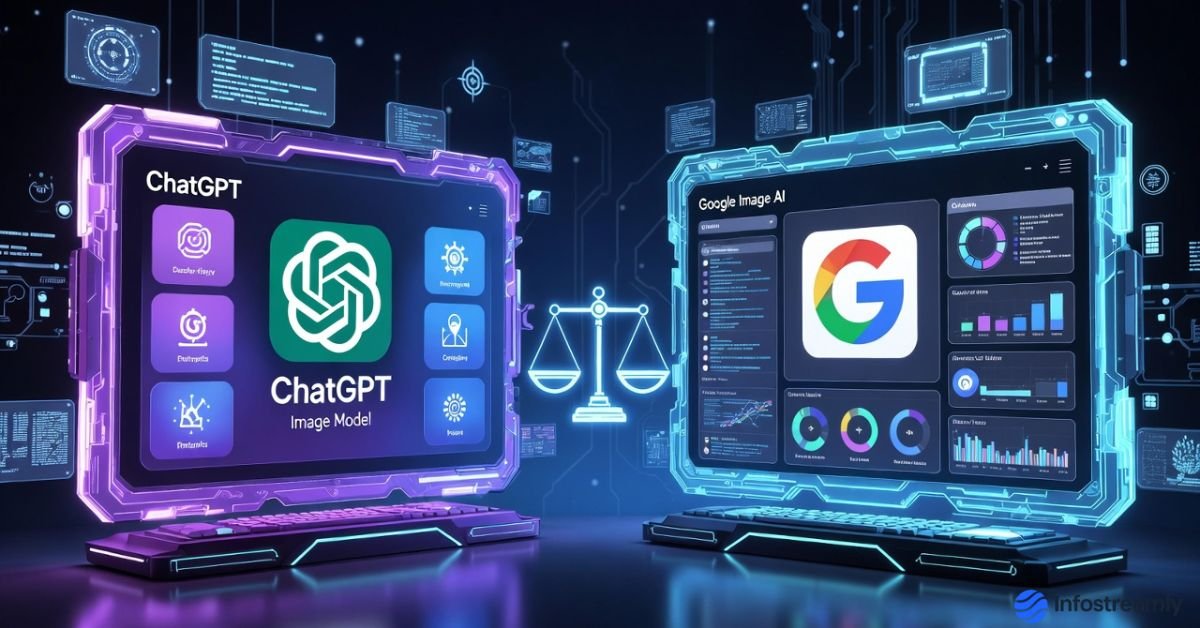
ChatGPT Image Model vs Google Image AI is suddenly everywhere, and honestly, it made many creators stop and think for a minute.
Some people think this is just another AI update story. But the real truth is… this one feels different. Image generation is no longer a side feature. It’s becoming a serious creative tool. So the big question is simple and slightly uncomfortable too – is ChatGPT actually doing a better job than Google here, or is the hype running ahead of reality?
Let’s talk like normal humans, not like product brochures.
Introduction: Why This Comparison Matters Now
Over the last few months, AI images quietly shifted from “nice demo” to “daily use.” Bloggers are using them. LinkedIn writers are using them. Even small businesses are using them for visuals they earlier paid designers for.
When OpenAI announced upgrades to its image generation inside ChatGPT, and Google continued improving its own image AI through Gemini, comparisons were inevitable. No marketing noise. Just practical usage.
And that’s what we’ll focus on.
What ChatGPT’s Image Model Actually Feels Like
To be honest, the first thing you notice with ChatGPT’s image tool is not the image quality. It’s the conversation.
You describe something.
You don’t like it.
You say, “Make it calmer, more editorial, less dramatic.”
And it listens.
That back-and-forth feels natural. Almost like talking to a patient designer who doesn’t get annoyed. For writers and content creators, this is a big deal. You’re not just generating an image. You’re shaping it slowly.
The images themselves feel balanced. Not too flashy. Not too artificial. Text placement is improving. Hands and faces are… mostly okay now. Not perfect, but usable.
Google Image AI: Strong, Fast, and Very Google-Like
Now let’s be fair.
Google’s image AI is powerful. It’s fast. It produces sharp, realistic images quickly. Sometimes, shockingly fast.
Photorealism is where Google shines. If you want something that looks like it came straight from a stock photo site, Google does that well. Clean lighting. Strong depth. High resolution.
But here’s the small frustration. Editing feels rigid. You often need to re-prompt fully instead of refining gently. It works, but it feels like giving instructions to a system, not collaborating with it.
Some people won’t care about this. Others will care a lot.
ChatGPT Image Model vs Google Image AI: Core Differences That Matter
Here’s where things get interesting, and yes, this comparison actually matters.
ChatGPT’s strength is control through conversation. Google’s strength is speed and realism.
If you are a writer who thinks visually, ChatGPT feels comfortable. If you are a marketer who needs fast visuals, Google feels efficient.
Neither is wrong. They’re just built with different philosophies.
And philosophy shows up in daily usage more than specs.
To understand how OpenAI approaches image generation as part of a broader creative workflow, it helps to read OpenAI’s official explanation of how images work inside ChatGPT and why conversational refinement is central to their design.
Image Quality: Not Just About Sharpness
Many reviews focus only on “which image looks more real.” But real-world usage is more subtle than that.
ChatGPT images often feel editorial. Calm. Thoughtful. Less like ads. More like magazine visuals.
Google images feel polished. Bright. Sometimes almost too perfect. That can be good or bad depending on context.
Honestly, for blogs, LinkedIn articles, and explainers, slightly imperfect images often perform better. They feel human. Less salesy.
That’s something creators are quietly noticing.
This quiet shift toward calmer, editorial-style visuals also reflects a larger pattern we explored earlier while discussing how overusing AI tools can actually reduce depth and clarity in human thinking.
Text Understanding and Prompt Flexibility
This is a big one.
ChatGPT understands intent better. You can say things like:
“Make it less futuristic.”
“Remove the dramatic mood.”
“More natural lighting, like morning.”
And it actually gets what you mean.
Google understands prompts well too, but it expects precision. Less emotion. More instruction.
Some people love that clarity. Others feel it breaks creative flow.
This difference in how tools communicate with users is closely tied to modern UX thinking, which we explored in more detail while reviewing new AI design tools that focus on human-first interaction and usability.
ChatGPT Image Model vs Google Image AI in Real Creator Workflows
Let’s be practical.
If you are:
- Writing long-form articles
- Creating LinkedIn visuals
- Designing editorial blog headers
- Experimenting with tone and mood
ChatGPT fits naturally.
If you are:
- Creating ads
- Doing product visuals
- Needing fast bulk images
- Focusing on realism
Google might suit you better.
This isn’t about winners. It’s about fit.
The Learning Curve Nobody Talks About
Here’s something people don’t openly mention.
ChatGPT image creation teaches you how to think visually. You learn by refining prompts through conversation.
Google image creation teaches you how to be precise. You learn by structuring prompts carefully.
Both skills are useful. But for beginners, conversational learning feels less intimidating.
That alone makes ChatGPT attractive to non-designers.
Privacy, Comfort, and Trust
Some people think all AI tools are the same here. But perception matters.
ChatGPT feels like a private workspace. One person. One chat. One flow.
Google feels like an extension of a larger ecosystem. Powerful, yes. But slightly impersonal.
To be honest, this emotional comfort influences usage more than companies admit.
Google also explains its own priorities around realism, speed, and scale in its official overview of Gemini’s image generation capabilities, which highlights a different but equally intentional design philosophy.
Conclusion
At the end of the day, ChatGPT Image Model vs Google Image AI is not about which company is bigger or which demo looks flashier. It’s about how you like to create. Some creators enjoy slow refinement, conversation, and gentle control. Others prefer speed, structure, and sharp realism. Both approaches are valid, and honestly, it’s a good sign that AI tools are finally adapting to different creative minds instead of forcing one workflow on everyone. The smartest choice is simple — use the tool that helps you think clearly, work comfortably, and stay creative without friction.
Final Verdict: Is One Actually Better?
Short answer? No universal winner.
Long answer? It depends on how you create.
ChatGPT Image Model vs Google Image AI is not a fight of quality alone. It’s a clash of creative styles.
One is conversational and adaptive.
The other is efficient and visually sharp.
And honestly, that’s a good thing. Choice is healthy.
Key Takeaways
- Image AI is no longer experimental. It’s production-ready.
- ChatGPT feels more creator-friendly for editorial work.
- Google excels in realism and speed.
- Workflow comfort matters as much as image quality.
- Picking the “best” tool depends on your intent, not hype.
FAQs
Is ChatGPT image generation free?
Some features depend on the plan, but basic access exists.
Is Google image AI more realistic?
Yes, in many cases. Especially for photorealistic outputs.
Which is better for bloggers?
Many bloggers prefer ChatGPT due to refinement flexibility.
Will these tools replace designers?
No. But they will change how designers work.
One Last Honest Thought
Tools don’t create great visuals. People do. AI just removes friction.
And whichever tool helps you think more clearly, calmly, and creatively… that’s the one you should use today.

Chandra Mohan Ikkurthi is a tech enthusiast, digital media creator, and founder of InfoStreamly — a platform that simplifies complex topics in technology, business, AI, and innovation. With a passion for sharing knowledge in clear and simple words, he helps readers stay updated with the latest trends shaping our digital world.