Cybersecurity Mistakes Most People Make in 2025 aren’t always those dramatic hacking scenes we see in movies. Most of the danger actually comes from the tiny, ordinary things we do online without even thinking—clicking a link too quickly, ignoring a warning popup, or using that same old password we’ve been using for years. These small habits don’t look harmful at all, but sadly, that’s where most online problems begin.
And over the last one year, online scams almost doubled. Fake OTP calls, AI-generated phishing messages, cloned voices, “urgent” emails from banks, and even fake UPI requests—everything became smarter. What’s scary is that hackers don’t need powerful tools anymore. They just wait for one small moment when we drop our guard.
Maybe we use a free Wi-Fi because data pack low ayindi…
Maybe we save a password because we want to login fast…
Or maybe we trust a message just because the English looks perfect…
That’s how most cyberattacks start—not through hacker genius, but through everyday human mistakes.
If you look carefully, at least 70–80% of cyber problems can be avoided with simple awareness. So let’s break down the most common cybersecurity mistakes people still make today and how you can fix them easily… even if you’re not a tech person.
1. Using the Same Password Everywhere
Let’s be honest—most of us have one favourite password that we keep reusing everywhere. Gmail, Facebook, Netflix, bank app… sometimes even office login. It’s easy, no doubt. But it’s also the biggest security mistake in the world right now.
Why This Is Dangerous
- If one website leaks your password, attackers try the same password on 100+ websites automatically.
- Many people use birthdays, names, “123456”, or “password”—these take less than a second to crack.
- Hackers have tools that guess thousands of combinations in minutes.
How You Fix This
- Use a password manager (Bitwarden, 1Password).
- Use different passwords for every important account.
- Enable 2FA everywhere—this alone can save you 95% of attacks.
More Info: Google Password Safety
2. Ignoring Updates (The “I’ll Do It Later” Mistake)
That small update notification we keep ignoring? That’s one of the main doors hackers use to enter your device.
What You Need to Know
- Updates fix vulnerabilities hackers already know about.
- Outdated apps, browsers, and OS are easy targets.
- Even security apps are useless if not updated.
Simple Fix
- Turn on automatic updates.
- Restart your phone/laptop at least twice a week.
- Update browsers (Chrome, Edge) regularly.
3. Clicking Fake Links & Messages (Phishing 2.0)
Scammers don’t send broken English messages anymore. Many phishing messages in 2025 are written using AI tools—perfect grammar, correct formatting, and real brand logos.
Common Traps
- “Your bank account will be blocked…”
- “Your courier is waiting…”
- “Your KYC is expiring…”
- “Your electricity bill payment failed…”
- Fake UPI collect requests
How to Stay Safe
- Never click a link directly from SMS/WhatsApp.
- Type the website manually in the browser.
- Never share OTP, PIN, or card details.
More Info: CERT-IN
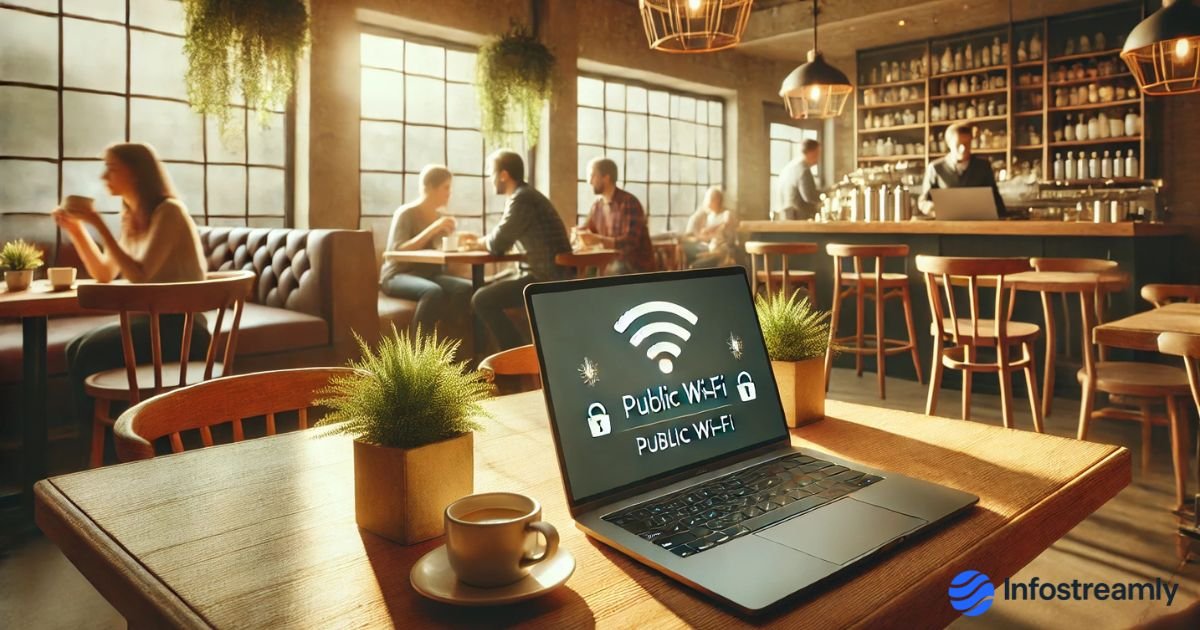
4. Using Public Wi-Fi Without Protection
Coffee shops, airports, malls, and hostels—all offer free Wi-Fi. But “free” often comes with hidden risks.
What Hackers Can Do on Public Wi-Fi
- Peek into your browsing
- Steal login details
- Create fake Wi-Fi networks with similar names
- Insert malware into your device
How to Stay Safe
- Avoid logging into banking apps on public Wi-Fi
- Prefer mobile hotspot
- Use a VPN if public Wi-Fi is unavoidable
Also Read: Deepfake Scams in India – How to Identify & Stay Safe in 2025
5. Oversharing on Social Media
We don’t realize this, but social media posts tell strangers more about us than we think.
Hackers Learn From Your Posts
- Where you live
- When you’re travelling
- Family details
- Phone numbers
- Email clues
- Birthdays (used in passwords)
How to Fix
- Keep profiles private
- Avoid sharing live location
- Hide sensitive details from public
6. Not Using 2-Factor Authentication (The Most Ignored Protection)
This is the simplest security shield yet most people still avoid enabling it.
Why It Matters
- Even if your password leaks, the attacker can’t enter
- 2FA stops 95% of account-takeover attempts
Where You Must Enable It
- Gmail
- Facebook / Instagram
- Bank accounts
- Cloud storage
- Work accounts
7. Installing Random Apps & Extensions
Many people install unknown apps, mod versions, cracked software, or random browser extensions.
Risks
- These apps collect data
- Inject ads
- Steal passwords
- Install hidden malware
Safer Approach
- Install only from Google Play / App Store
- Delete apps you never use
- Avoid cracked/pirated software entirely
8. Weak Phone Security & No Backup
Your phone holds more personal information than your laptop, but most people don’t secure it properly.
Fix This Quickly
- Use fingerprint / Face ID
- Enable automatic backups
- Turn on “Find My Device.”
Conclusion
Cybersecurity isn’t complicated. You don’t need to know coding or advanced tech. Most threats can be avoided by improving simple daily habits—strong passwords, careful clicking, regular updates, and using 2FA.
Once these become part of your routine, staying safe online becomes almost effortless.
Final Verdict
Cybersecurity Mistakes Most People Make are not caused by lack of intelligence—they happen because life is busy and digital habits don’t improve with time. But once you understand the common dangers, avoiding them becomes easy. One small smart choice today can protect your data, money, and privacy for years.
Key Takeaways
- Reusing passwords = biggest mistake
- Updates are extremely important
- Phishing messages are smarter now
- Public Wi-Fi is unsafe for banking
- Social media reveals more than you think
- 2FA is essential
- Random apps = hidden danger
Call-to-Action
If you want more helpful guides like this, follow InfoStreamly for simple explanations on tech, cybersecurity, AI, and future digital trends.
Recommended next: Top 10 Future Technologies 2030—Innovations That Will Change Our World
(URL: /future-technologies-2030/)
FAQs
1. What is the biggest cybersecurity mistake people make?
Using the same password everywhere.
2. Will 2FA really protect my accounts?
Yes—2FA prevents most unauthorized logins.
3. Can my phone get hacked through public Wi-Fi?
Yes, if the network is unsafe or fake.
4. Are AI-generated phishing attacks increasing?
Yes, AI makes fake messages more believable.
5. How often should I update my phone?
Install updates immediately. They fix serious security issues.

Chandra Mohan Ikkurthi is a tech enthusiast, digital media creator, and founder of InfoStreamly — a platform that simplifies complex topics in technology, business, AI, and innovation. With a passion for sharing knowledge in clear and simple words, he helps readers stay updated with the latest trends shaping our digital world.